

Looking to give your job listing a little extra star power? Sponsoring your job on ZipRecruiter directly from the ATS is quick, easy, and flexible, with three different ZipRecruiter options to choose from, including one for those extra tough roles to fill.
NOTE: ZipRecruiter actively enforces pay rate transparency on all ZipRecruiter advertisement products—free or sponsored. If you don’t enter a pay rate, ZipRecruiter will estimate one for you (and it might not be what you intended!). More on how to use the Salary field can be found here: The How & Why of the Salary Field.Step-by-Step: How to Sponsor with ZipRecruiterStart at your Dashboard
Scroll down to your Job Listings Grid and locate the job you'd like to sponsor.
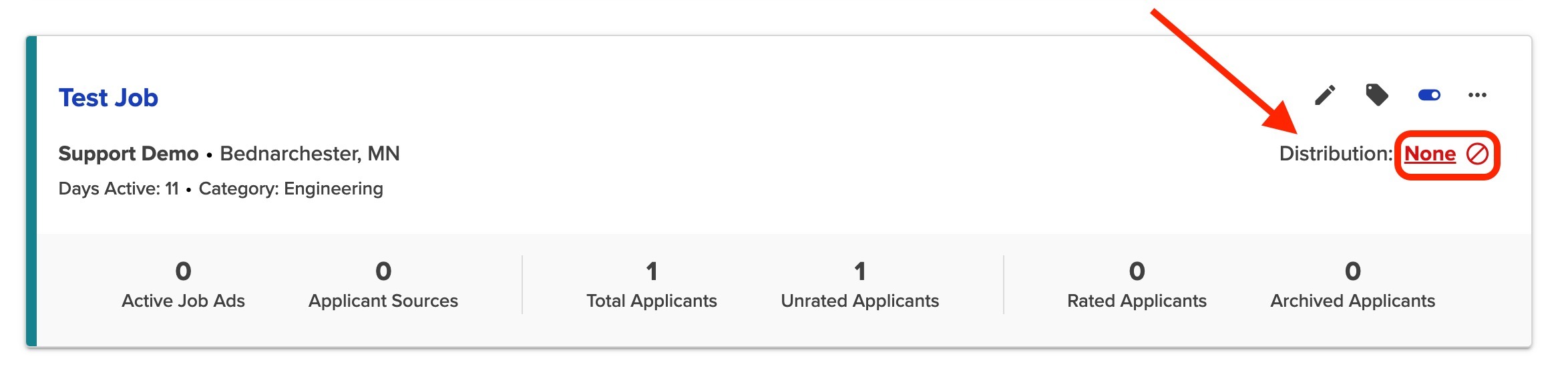
Click the “Distribution” link
You’ll find this link inside the job card. It will say none, free only, or active, depending on the current distribution level.
Scroll to the Recommended Job Boards and find ZipRecruiter
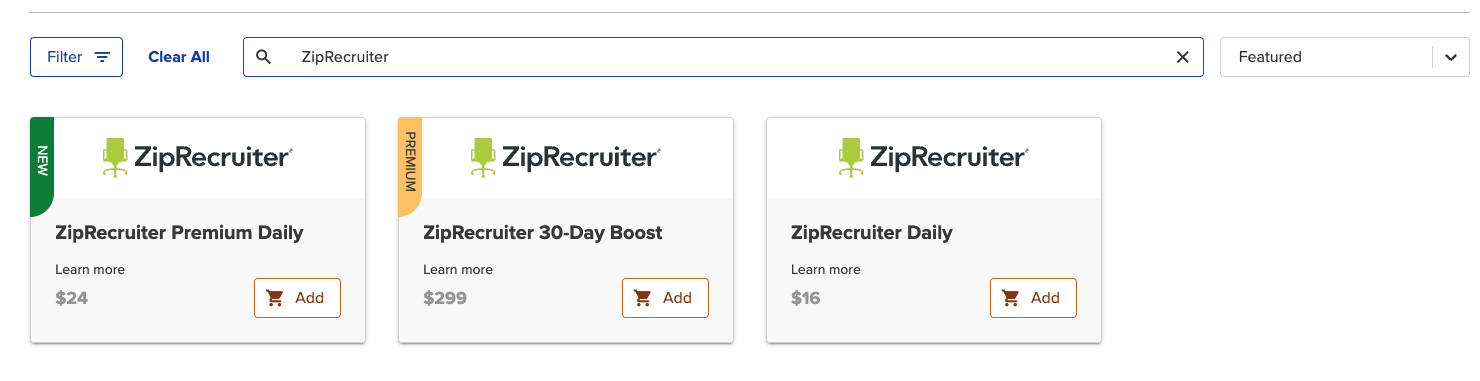
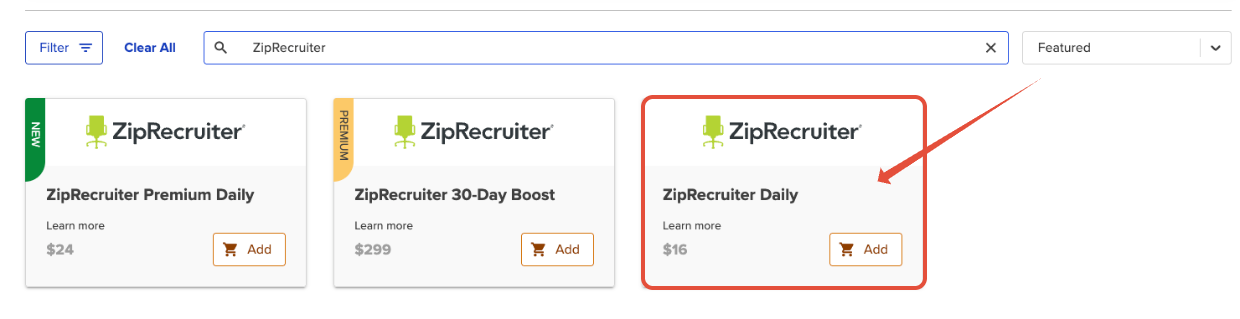
Don’t worry—you’re not imagining it; there are now three ZipRecruiter tiles, and each one serves a different purpose.
Start at your Dashboard
Scroll down to your Job Listings Grid and locate the job you'd like to sponsor.
Click the “Distribution” link
You’ll find this link inside the job card. It will say none, free only, or active, depending on the current distribution level.
Scroll to the Recommended Job Boards and find ZipRecruiter
Don’t worry—you’re not imagining it; there are now three ZipRecruiter tiles, and each one serves a different purpose.
Choose Your ZipRecruiter Sponsorship
Let’s break down your options:
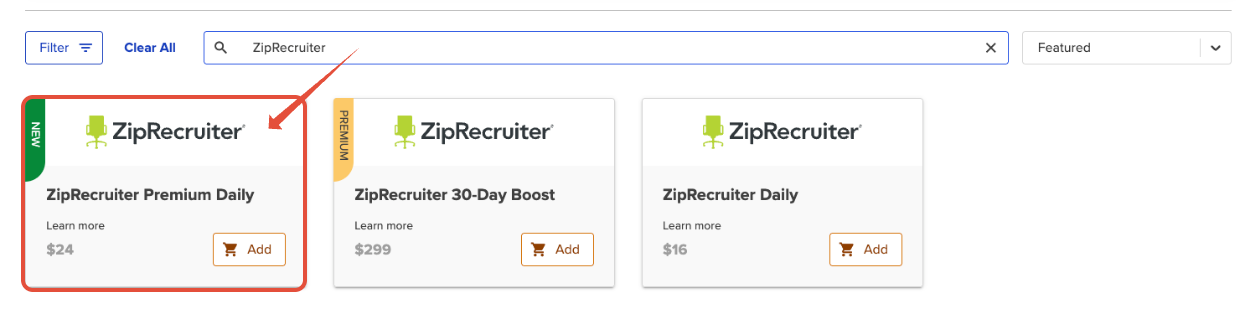
1. ZipRecruiter Premium Daily – $24/day
Best for: Hard-to-fill positions or jobs needing extra visibility.
Why choose it? It offers higher visibility than Standard Daily and is marketed directly to candidates in tough-to-fill industries.
Billing: Charged daily and billed either every 7 days, upon cancellation, or when the job is taken offline.
Best for: Hard-to-fill positions or jobs needing extra visibility.
Why choose it? It offers higher visibility than Standard Daily and is marketed directly to candidates in tough-to-fill industries.
Billing: Charged daily and billed either every 7 days, upon cancellation, or when the job is taken offline.
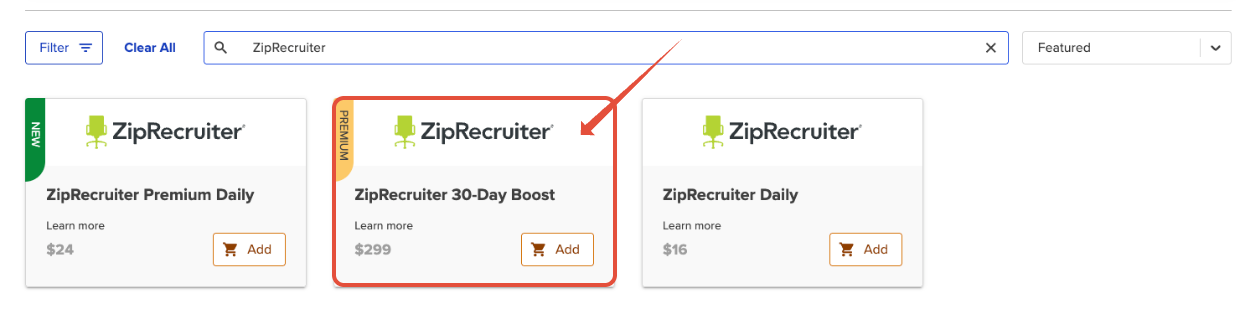
2. ZipRecruiter 30-Day Boost – $299
Best for: Ongoing hiring needs or those already familiar with ZipRecruiter boosts.
Provides a full 30 days of boosted exposure.
Option to enable automatic reposting after the initial 30 days.
Billed up front, no refunds.
3. ZipRecruiter Daily – $16/day
Best for: Ongoing hiring needs or those already familiar with ZipRecruiter boosts.
Provides a full 30 days of boosted exposure.
Option to enable automatic reposting after the initial 30 days.
Billed up front, no refunds.
Best for: Flexible budgets or short-term boosts.
Choose how many days you'd like to sponsor—no 30-day commitment needed!
Billed in the same way as Premium Daily: every 7 days, at cancellation, or when the job is taken offline.
Cancel anytime through the job dashboard.
Best for: Flexible budgets or short-term boosts.
Choose how many days you'd like to sponsor—no 30-day commitment needed!
Billed in the same way as Premium Daily: every 7 days, at cancellation, or when the job is taken offline.
Cancel anytime through the job dashboard.
After Checkout: You’re Live!
Once you’ve selected your ZipRecruiter option and completed checkout, your job is officially boosted and out there working hard for you. Time to sit back and let the applicants roll in!
- These can be canceled anytime via the “Active Paid Posting” button. Select “End Campaign” after expanding the Reports section. See How to Create or Cancel a Recurring Posting on Paid Job Boards for more info.
- Pro Tip: Billable days are not prorated. ZipRecruiter Daily and ZipRecruiter Premium Daily billable days run from 12:00 AM to 11:59 PM, so place orders early to get your money’s worth!
Once you’ve selected your ZipRecruiter option and completed checkout, your job is officially boosted and out there working hard for you. Time to sit back and let the applicants roll in!
Need Help?
If you have questions, get stuck, or just want to chat about the best option for your job, our support team is always happy to help. Don’t hesitate to reach out!
If you have questions, get stuck, or just want to chat about the best option for your job, our support team is always happy to help. Don’t hesitate to reach out!