


Sometimes an applicant decides they’d rather not hear from you by email anymore. It happens to the best of us. When an applicant unsubscribes from job-related communications, your ATS can now automatically move them to a status you choose. That way your team can see at a glance that this person has opted out, and nobody has to keep track of it by hand.
Access to Account Details can be limited by User Role, so some users may not be able to take this action.
What this feature does
- When an applicant opts out of receiving communications from Hiring Managers, the ATS automatically updates their status to the one you select.
- You pick the status, so it fits however your team likes to track things.
- It’s off by default. Choosing a status turns it on.
How to turn it on
- Head to your Workflows settings
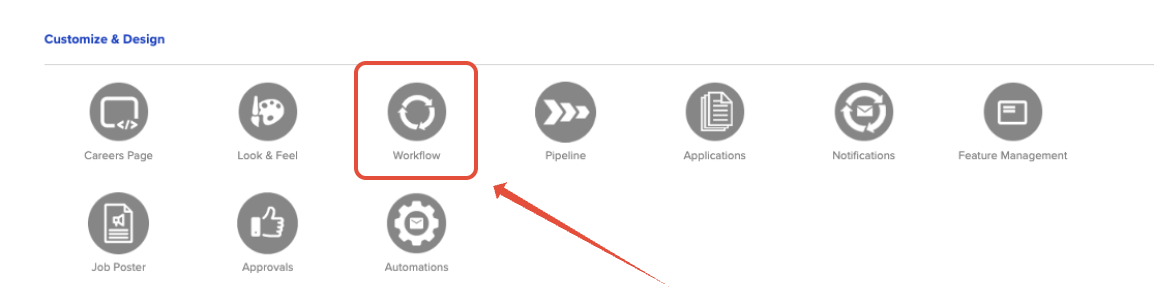
- Please use the Main Menu (☰) to select Account > Account Details
- Click Workflows.
- Find Other Automations
- Scroll down to the Other Automations section.
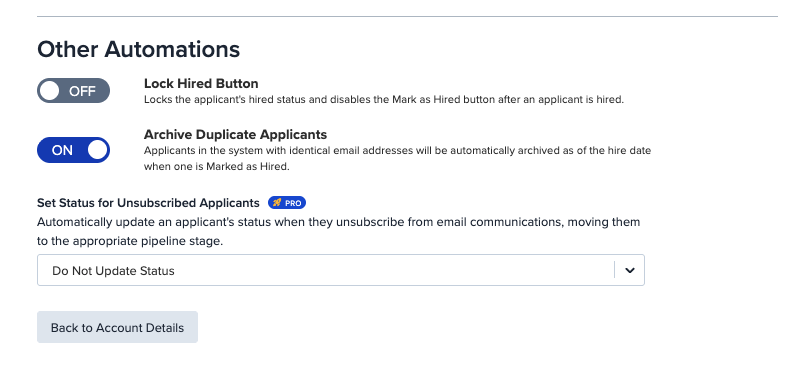
- Scroll down to the Other Automations section.
- Choose your status
- Find the Set Status for Unsubscribed Applicants option.
- From the drop-down, select the status you want unsubscribed applicants moved to.
- Don't yet have a perfect option? Head over to Pipeline to create it!
- The Status will show as saved!
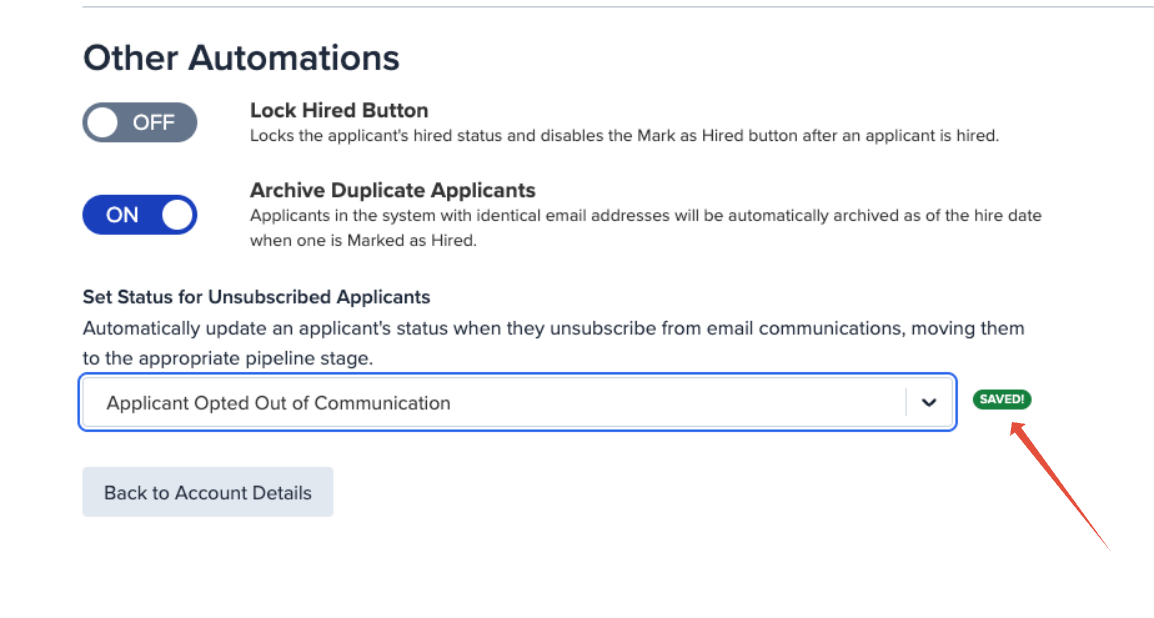
That’s it. From now on, any applicant who unsubscribes will be moved to that status automatically.
How to turn it off
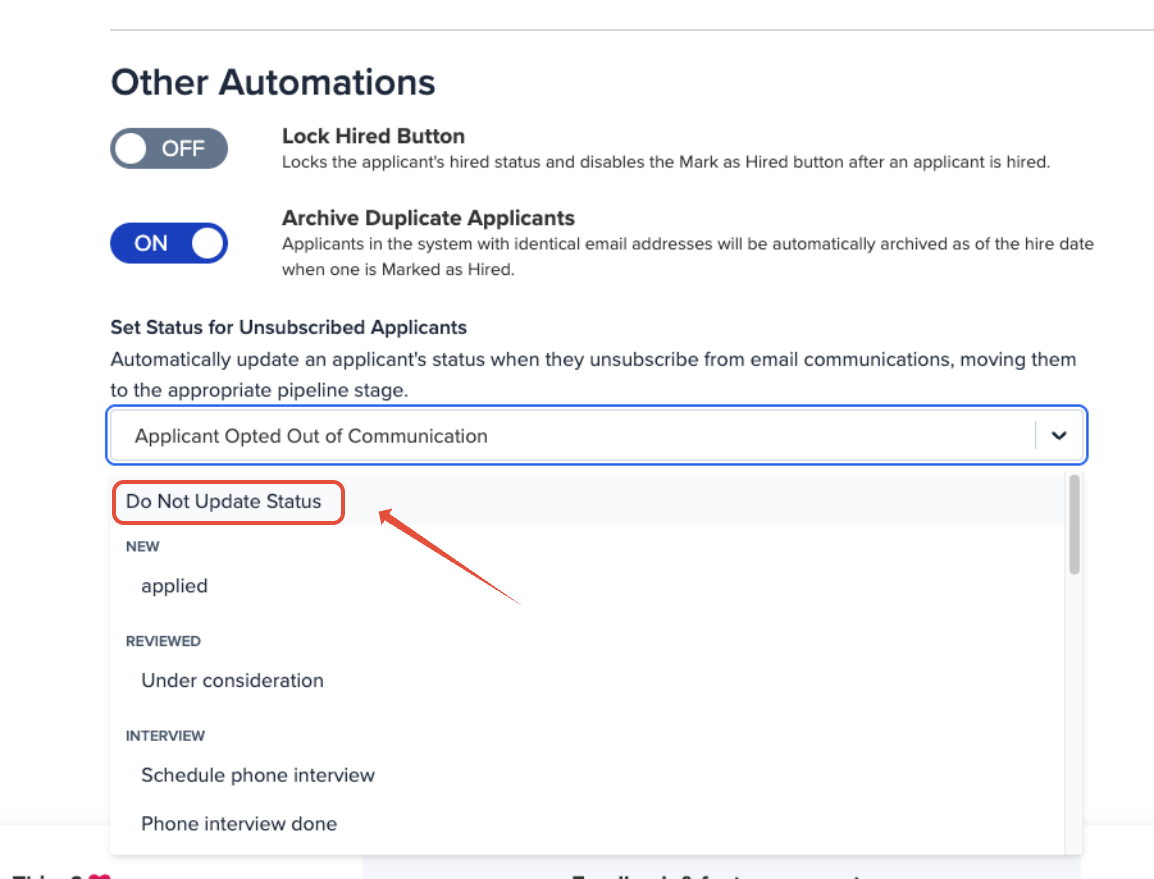
Want to remove this feature and allow applicants who unsubscribe to keep whatever status they currently have?
Head on back and use the dropdown to select "Do Not Update Status"
A few things to keep in mind
- Unsubscribing isn’t the same as withdrawing. An applicant who opts out of emails may still be interested in the job. Consider picking (or creating) a status that tells your team to reach out another way, rather than one that removes them from consideration.
- Watch for status-triggered automations. If the status you choose is set up to trigger other actions, such as an automated email or a stage change, those may run too. [CONFIRM: Do status-triggered emails still send to an unsubscribed applicant?]
- Applicants who already unsubscribed: [CONFIRM: Does this apply retroactively, or only to applicants who unsubscribe after the setting is turned on?]
Need a hand?
If you’re not sure which status makes the most sense for your team, or something isn’t behaving the way you expect, our friendly support team is happy to help. Reach out any time and we’ll get you sorted.