

Ever wonder which job board is sending you the best candidates? The “Where Did You Hear About Us?” drop-down on your application lets candidates tell you how they found you. You also get to choose which options appear in that list.
Here’s how to make it your own.
Step-by-Step Instructions
- Open the main menu.
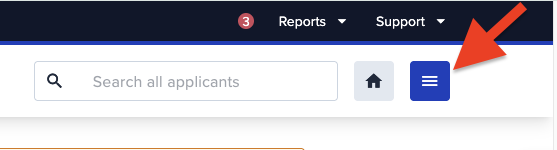
- Go to the upper right corner of your ATS dashboard.
- Click the main menu, right next to the home button.
- Go to your application settings.
- Select Account.
- Click Account Details.
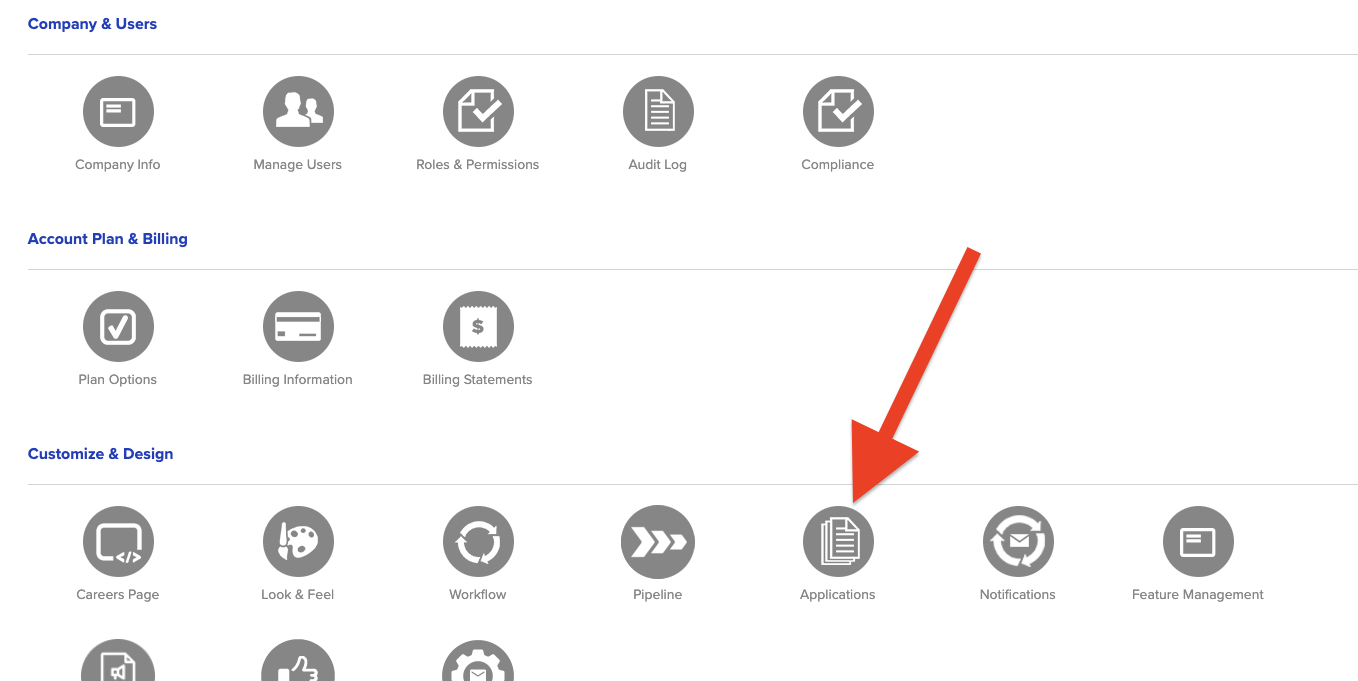
- Choose Applications.
- Find the source options.
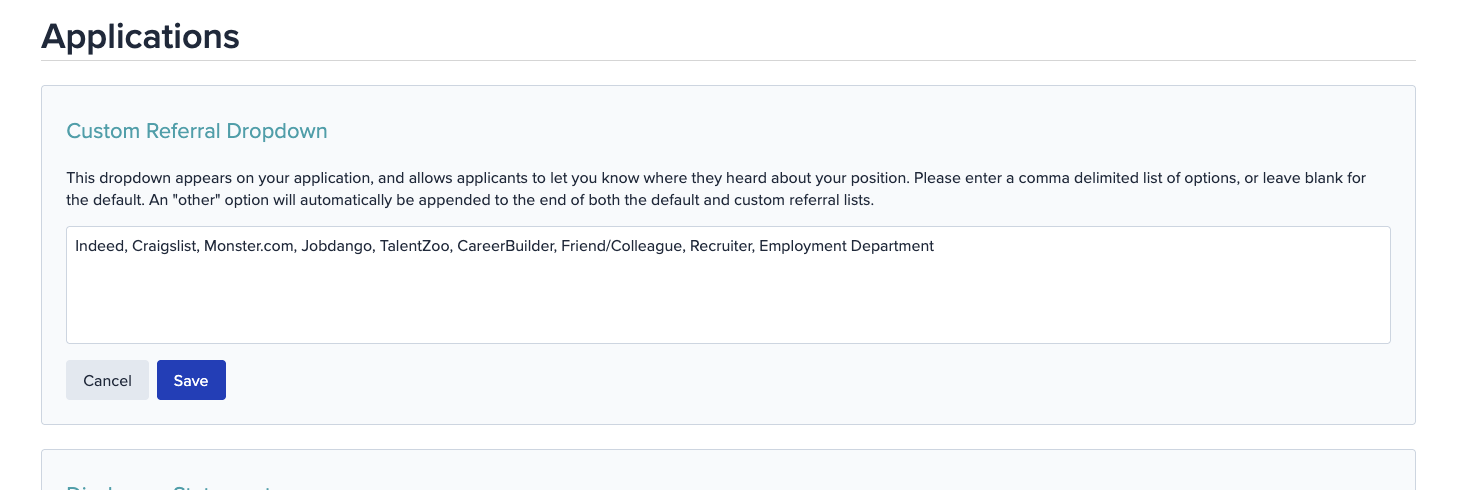
- At the very top of the Applications page, you’ll see the field for your “Where Did You Hear About Us?” options. It's labeled "Custom Referral Dropdown". This is where the magic happens.
- At the very top of the Applications page, you’ll see the field for your “Where Did You Hear About Us?” options. It's labeled "Custom Referral Dropdown". This is where the magic happens.
- Add, edit or remove options.
- Type each option you want candidates to see, with a comma between each one.
- Example:
Indeed, Craigslist, Monster.com, Employee Referral - To remove an option, delete it and its comma from the list.
- Double-check your commas. If one goes missing, two sources merge into one very confusing super-source.
- Save your changes.
- Click Save, and you’re done. Your updated list will now show in the drop-down on your application.
Quick Tips
- Keep option names short and easy to recognize so candidates can spot theirs quickly.
- Think about adding options like “Employee Referral,” “Social Media” or “Company Website” to track sources beyond job boards.
- Check your list now and then and remove sources you no longer use.
Need a Hand?
If you get stuck or something doesn’t look right, our support team is happy to help. Reach out anytime and we’ll help you get your drop-down menu sorted out.