

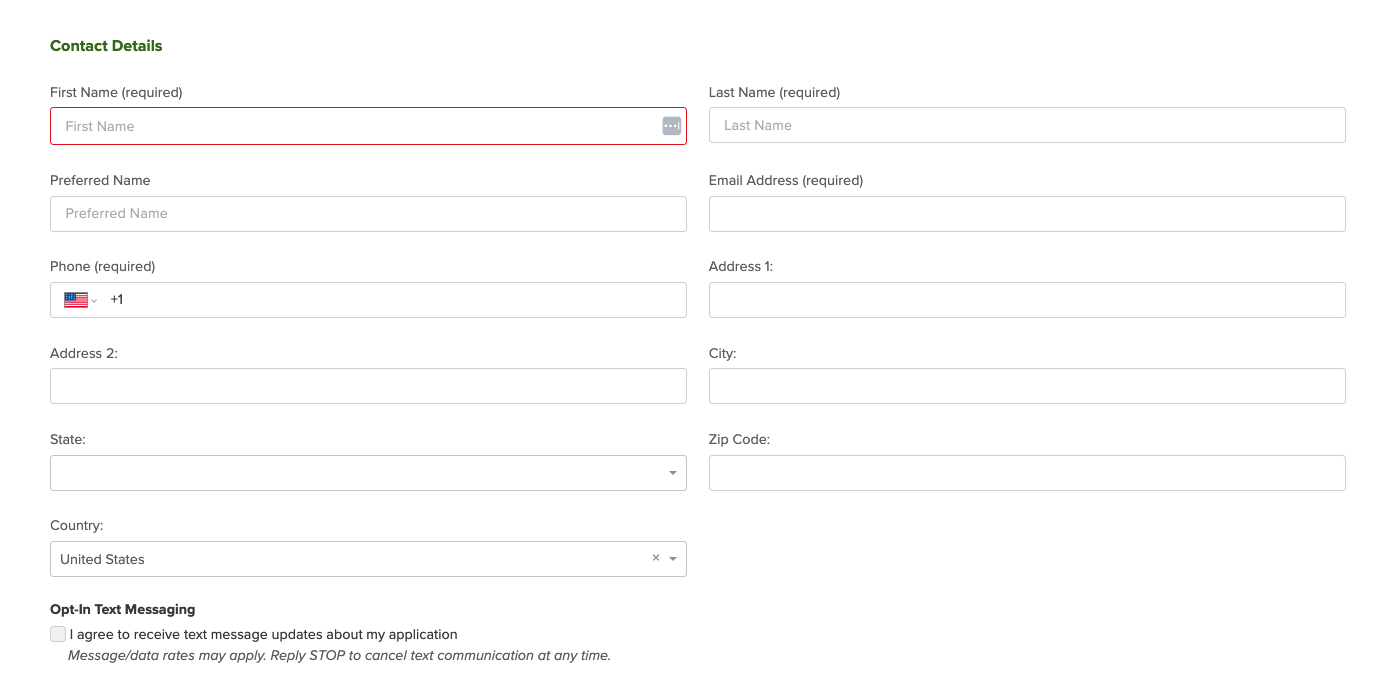
Every account comes with a built-in basic Employment Application Form. This form is what applicants will fill out when you send it through your account. It starts with just the essentials:
Applicant Information
Think name, contact info, and other basic details you need to get started.
Make It Yours with Form Builder

Want to gather more info up front? Customize the form with our Form Builder tool! You can add:
Multiple-choice questions
Essay-style responses
Yes/No checkboxes
Required questions to make sure applicants don’t skip the important stuff
Auto-tagging and auto-status changes based on answers
Archiving rules to filter applicants based on their responses
Extra Customization Options in Account Settings
Head over to Account Details > Applications, where you'll find toggle switches to collect even more data:
Applicant's address
EEOP survey
Custom referral dropdown (Great for tracking where applicants heard about you!)
Disclosure statements
OFCCP compliance questions
Captcha to block bots (because you only want real applicants!)
Need Help or Want to Get Fancy?
We’re here to help! Whether you’re just starting out or customizing like a pro, our support team is happy to walk you through it.
Reach out to us anytime if you have questions or need guidance. We’re always just a message away!